Clean outlines
Jagged pixel edges rebuilt as deliberate curves and corners.
Turn pixelated logos and rough sketches into scalable artwork for the way you plan to use it.
A raster file is a grid of pixels. Enlarge it and you get bigger pixels, not more detail. A vector file is a set of shapes described mathematically, so it holds its edges at any size. That difference is why a logo that looks fine on a website falls apart when it has to be made three inches wide in thread.
Vector conversion and digitizing are included with a patch order, and standalone file work is quoted on its own. Send the best file you have and tell us where the artwork is going, because the destination decides which simplification calls we make.
From pixels to paths
Vector cleanup does three things. It gives you edges that stay sharp at any size. It removes the compression artifacts, soft edges and stray pixels that a raster original carries. And it makes the artwork editable, so a color can be changed or an element simplified without redrawing the whole thing. All three matter when the file is about to become a physical object.
Check artwork requirements →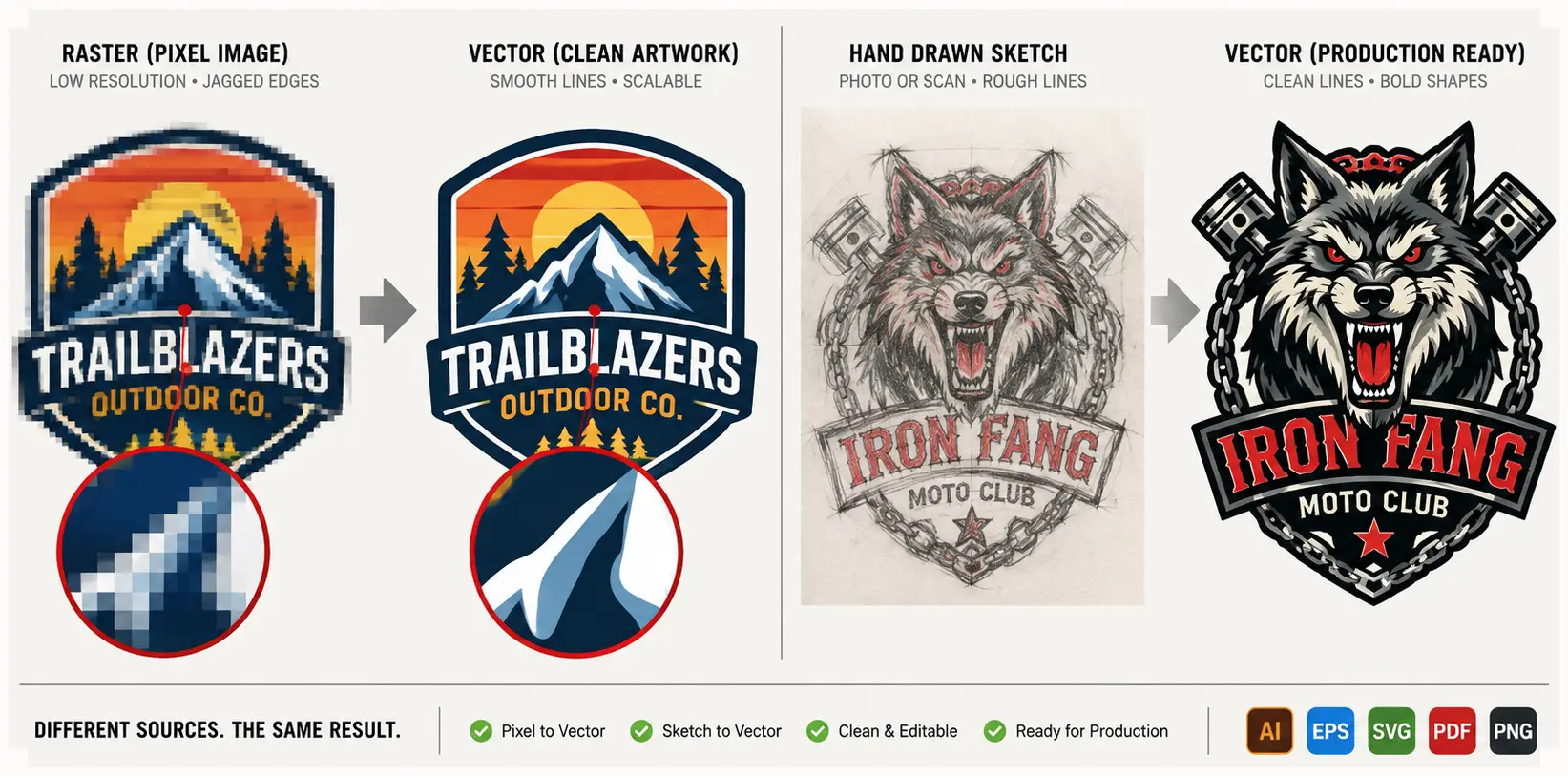
Jagged pixel edges rebuilt as deliberate curves and corners.
Type redrawn or reset at the finished size, with spacing checked against the source.
Color areas separated so one can be changed without redrawing the rest.
Shapes described mathematically, so the edges hold at any size.
The redraw process
We rebuild the artwork by hand rather than running an automatic trace. Auto-tracing follows every wobble in a low-resolution edge and produces paths with hundreds of unnecessary points, which look approximately right on screen and behave badly in production. A hand redraw produces the shapes someone actually intended.
Then the detail gets a decision rather than a default. Elements too fine to survive at the finished size are simplified deliberately, and we tell you which ones and why. Curves are rebuilt as curves. Type is redrawn or reset. The aim is artwork that still looks like yours after the parts that could not be made have been resolved.
Finally the file is prepared for what it is actually for. Artwork heading for embroidery is prepared differently from artwork heading for printing or molding, because each has different limits. This is why the next section asks where the artwork is going rather than treating vector conversion as a single generic output.
Before work starts
The most useful thing you can tell us is the destination. Which construction, what finished size, and what the artwork will sit on. A logo destined for a two-inch woven patch needs different simplification decisions from the same logo destined for a twelve-inch printed back panel, and doing that work without knowing the destination means doing it twice.
| Confirm | Why it matters |
|---|---|
| Best source artwork | The clearest original image and any lettering or logo references reduce guesswork. |
| Intended use and size | Printing, cutting, and patch production have different limits for fine details. |
| Colors and output format | Provide brand colors and the format requested by the person using the file. |
| Validation and revisions | Confirm the proof, editable-file scope, changes included, and final delivery terms. |
Handoff boundary
What you receive, which formats, and what happens to the files afterward are set out in your quote rather than assumed. Ask for the deliverables to be named and they will be. We do not publish blanket ownership or retention terms on this page, because those belong in the agreement covering your order rather than in marketing copy. A vector redraw prepares the artwork; embroidery digitizing is a separate step when stitch instructions are needed.
See the file handoff policy